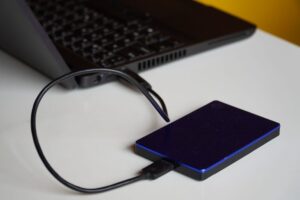

Keeping cables and chargers organized can be a challenge, especially as the number of devices in our homes and offices continues to grow. From phone chargers and laptop adapters to headphones and gaming controllers, tangled cords can create clutter and frustration. Fortunately, with a few practical tips and simple tools, you can create a neat and efficient cable management system that saves time, reduces clutter, and protects your equipment.
In this post, we’ll walk you through the best ways to organize cables and chargers neatly, whether you want a quick fix or a long-term solution.
Why Organizing Cables Matters
Before diving into solutions, it’s helpful to understand why cable organization is important:
– Improves Safety: Tightly bundled cables reduce trip hazards and prevent damage from being pulled or twisted.
– Saves Time: Easily find the right charger or cable without digging through a pile.
– Increases Longevity: Proper storage prevents cables from bending or breaking.
– Enhances Aesthetics: A clean setup looks inviting and reduces visual stress.
Now, let’s explore how to achieve a tidy cable setup.
Step 1: Declutter and Assess Your Cables
Before organizing, start with a quick declutter:
– Gather all your cables and chargers in one place.
– Sort through them, and discard any that are broken or outdated.
– Group cables by device or type (e.g., phone chargers, USB cables, power cords).
This step reduces the number of cables you have to manage, making organization easier.
Step 2: Choose the Right Storage Solutions
There are many ways to store and organize cables. Here are some popular options:
1. **Cable Ties and Velcro Straps**
Using reusable cable ties or Velcro straps helps bundle cables neatly and prevents tangling. Wrap excess length and secure with a tie. Velcro straps are especially user-friendly because they can be readjusted easily.
2. **Cable Organizing Boxes**
Cable boxes or storage bins provide a contained space for chargers and power strips. Some boxes have slots for individual plugs, which keeps the area neat while devices charge.
3. **Drawer Dividers and Small Containers**
For cables not in active use, consider using drawer dividers or small containers labeled by device type. This makes it easy to find the cable you need quickly.
4. **Wall-Mounted Cable Holders**
Mount cable holders or hooks on walls, desks, or the back of furniture to keep cables accessible but off the floor or surfaces. This is great for frequently used chargers.
5. **Cable Sleeves**
Cable sleeves bundle multiple cables together, especially useful behind desks or entertainment centers to reduce clutter and protect cords.
Step 3: Label Your Cables
Labeling helps you identify cables at a glance. Use simple tags, masking tape, or pre-made labels to write the cable’s function or device name. This is especially handy if you have multiple similar cables.
Step 4: Implement a Charging Station
Designate a specific spot in your home or office as a charging station. Use a power strip inside a cable box or on a desk with cable holders nearby. This centralizes charging and keeps cables tidy.
Step 5: Maintain Your System Regularly
Cable organization is an ongoing process. Every few months:
– Review your cables.
– Untangle and re-bundle as needed.
– Remove any that are no longer needed.
Regular maintenance keeps clutter from building up again.
Additional Tips for Cable Organization
– Use shorter cables when possible to reduce excess length.
– Wrap cables loosely to avoid damage.
– Avoid tight knots or twists.
– Store rarely used cables separately.
– Keep cables away from heat sources or moisture for longevity.
DIY Cable Organizer Ideas
If you enjoy creative projects, try making your own organizers:
– Use toilet paper rolls or empty paper towel tubes to store cables individually.
– Create a custom cable holder with clips attached to a board.
– Repurpose old shoeboxes with dividers for cable storage.
These simple projects can be budget-friendly and personalized.
Conclusion
Organizing your cables and chargers neatly doesn’t have to be complicated. With a little planning and the right tools, you can keep your space tidy, make your gadgets easier to use, and extend the life of your cables. Start by decluttering, choose storage options that fit your needs, label everything clearly, and set up a dedicated charging area. Regular upkeep will keep your system working well for the long term.
With these tips, you’ll enjoy a clutter-free environment and stress-free cable management. Give it a try today!